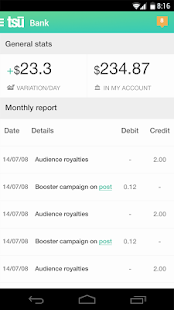
Download APK Files tsu (Version History)
- • File Name: tsu-social-payment-network.apk
- • License and Price: Free / $ 0
- • Supported: Android 4 .0 to top
Smartphones, Cellphones, Gadget, Notebook, Accessories, Technology, Review, New Product and More Information
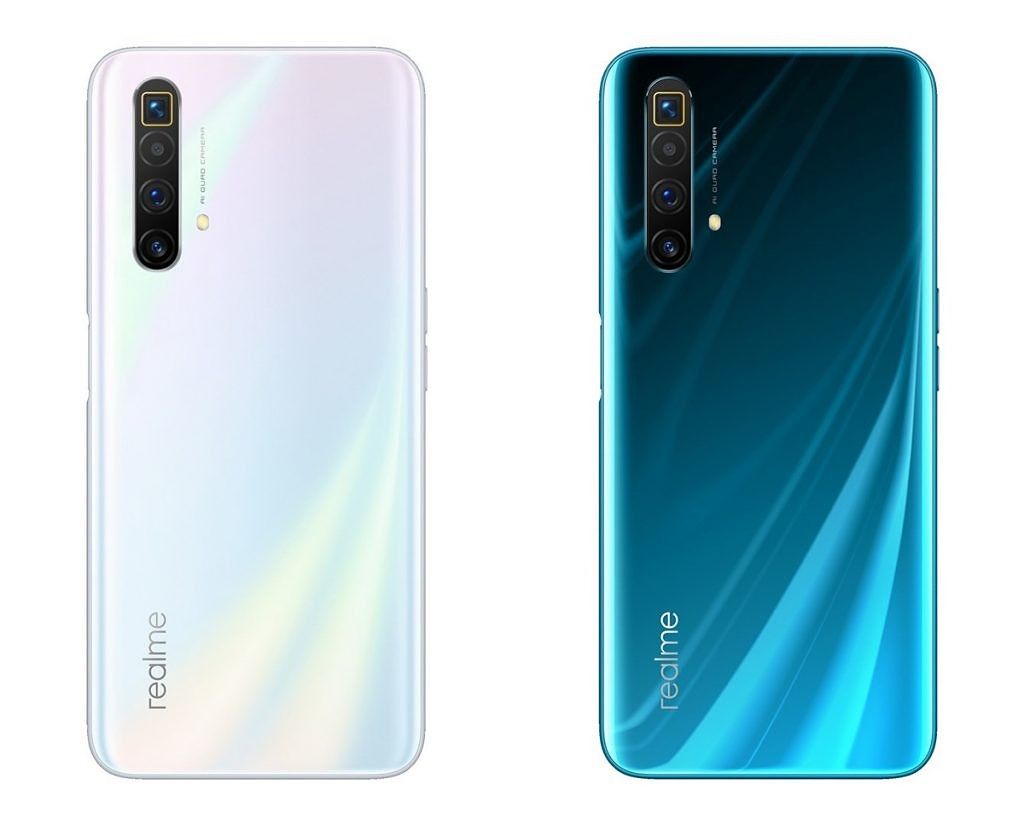
Design-wise, the Realme X3 SuperZoom looks quite similar to the X50 5G, which launched in China at the beginning of the year. It features a similar-looking 6.6-inch Full HD+ display with an LCD panel and a high 120Hz refresh rate. The display is protected under Gorilla Glass 5. Since this is an LCD and not an OLED panel, the X3 SuperZoom features a side-mounted fingerprint scanner – also seen on the X50 5G as well as the Realme 6 and 6 Pro. Readmore...
LG F240S Optimus G Pro 4G LTE is a new and updated version of Optimus G smartphone and comes with notable enhancements in display, size and processor. It features a huge 5.5-inch True Full HD IPS Plus LCD that essentially makes it a phablet. Readmore..
The beginner segment is always interesting to discuss, because the camera in this segment is still quite affordable but its already abundant and can be therefore people are no longer interested in buying a more expensive camera class. Readmore...
In 2013 was the triumph of mobile phones with a screen resolution of Full HD TV rival. OPPO Find 5 is one of them, 5 inch screen includes a resolution of 1920x1080 pixels. This makes the screen OPPO Find 5 has a density of 441ppi, alias the same as the Sony Xperia Z and HTC Butterfly. Readmore...
9 Smartphone with Most Durable Battery in the World. In addition to its features, things we should consider when choosing smartphones are the specifications, one of which is the battery life. Smartphone useless we have a sophisticated but battery endurance for a while, we will be annoyed at having to often to charge our smartphones. Readmore...
In general, for mobile devices coming out now is able to run on GSM 850/900/1800/1900 networks and a minimum of 3G HSDPA 850/900/1900/2100, but for prosthetic devices can not do it. In addition to the network, from the specification of the processor is also used as the standard assessment. Then, from the capacity of the RAM and ROM it will see the difference. In the original device, in general, the capacity of the RAM and ROM will be greater, while in counterfeit products is very limited even with only 512MB of course. Not only that, camera, screen, Wi-Fi, Bluetooth until the battery can also be used as an assessment of whether the goods are counterfeit or not.IMEI CODE CHECKS
Indeed, not all devices can use this code, but the majority can do. To check the IMEI number, you can press * # 06 # and the IMEI number has appeared when the screen, try to fit with the IMEI in his box. After that, you can find out where the assembly of the product with a view of the IMEI number series to seven and eight. There are special codes that you can make a referral to see a device of making it on Google.CEK EXIF DATA USING PHOTO
This method is relatively easy, because by using the data exif photos taken with the camera in the device, it can be seen clearly the authenticity of the smartphone. When you capture an object using a camera on a mobile device, when the results are in check in the Gallery or also when transferred to a PC, the properties will be seen full exif data.CHECKS WITH APPLICATION BENCHMARK
In this way, it will be more reliable information about the mobile device you want to know the status. Using the Benchmark test application, it can be seen up to speed performance of the device.CHECK OF DESIGN AND COLOR
In general, each vendor will always have the characteristic of the product release. Although it looks the same, but the shape, design and color of the original and different false. Weight, screen size and detail of the device can also be used as a reference to determine whether the goods are counterfeit or genuine.CEK WARRANTY CARD
In some ways, this one can not be used as the main reference, because today many 'actors' that have started to make a warranty card which of course is also false. However, not all the fake device makers are able to also make the warranty card. Therefore, although it can not be used as a primary weapon, but the way of identification through the warranty card is also quite effective.FEEL perfomanya
Of course, if an item is genuine juxtaposed with counterfeit goods, then the end result would indicate that the original device was the one who will come out as winners. In general, access and operation of the prosthetic device is slower and requires patience. That is because the capacity of the RAM contained in it are too small to use with fast multi-tasking.CHECK DETAILS TEXT
As reviewed in Business Insider (09/15/2013), it is advisable to check the print paper on the device or other objects that come in one package. In general, there will be a typo writing or writings also the output of a particular country. In addition, the print paper in prosthetic devices can easily be lost or faded.CEK NFC BATTERY CONNECTOR
When you remove the battery from the device, it will show the line of NFC the connector such as tin yellow lines. But in prosthetic devices, NFC Connector will be seen more clearly, while in the original device will look a little more impressed and protected.COMPARE QUALITY AND MUCH
Of course, the last step that can be done to detect counterfeit goods or not is to look at the quality and price. Comparison of Specs and Price Latest gadgets that you want to purchase should be appropriate. When juxtaposed with the original product, the specifications and the quality of counterfeit goods can not be outmaneuvered. And again, expensive stuff of course has its own qualities. Similarly, the original product that the average marketed at a great price.

May have been many articles that discuss how to flash the Android ROM on the internet, but there may be some users that there are still many android also looking for articles that explain how to flashing with easy and simple, and therefore here I will try to share how easy it is and easy-hopefully this way I share quite understandable, especially aimed at the beginner android users. Before entering the flashing tutorial to better understand how you first know the definition and function of Flashing. Flashing is a technique in the process of re-install the operating system in android device which is useful to improve and update the software that is damaged / corupt, flashing is usually done on an android device that has experienced bootloop / restart repeatedly. Not only that, flashing can also upgrade or downgrade to the android operating system. Flashing is usually carried out for a variety of causes such as mobile phones are not normal anymore. Maybe also because android frequent errors, slow. average as most of the cases, which occurred android bootloop when turned on just until the logo alone, it is usually because it failed to install a custom rom, one modding, etc.. I share this tutorial is general, so you can apply to all versions of android smartphone Immediately following the tutorial How to Flashing / Reinstall On All Android devices: There are Some Requirements To flash the ROM Android include:Smartphone Review and Technology © 2020 Support. Supported by Tips for Life and Mlbboards.com